Web Snippet

AI alt text for every image on any site

No plugins. No CMS lock-in. No manual work. Paste one script tag and AltTextLab automatically generates, caches, and serves accurate alt text for every image across your entire site.
25 credits for free • No credit card required
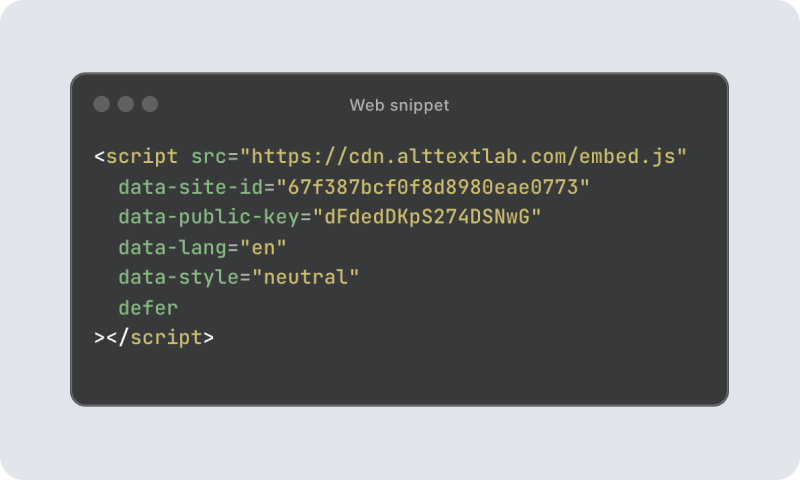
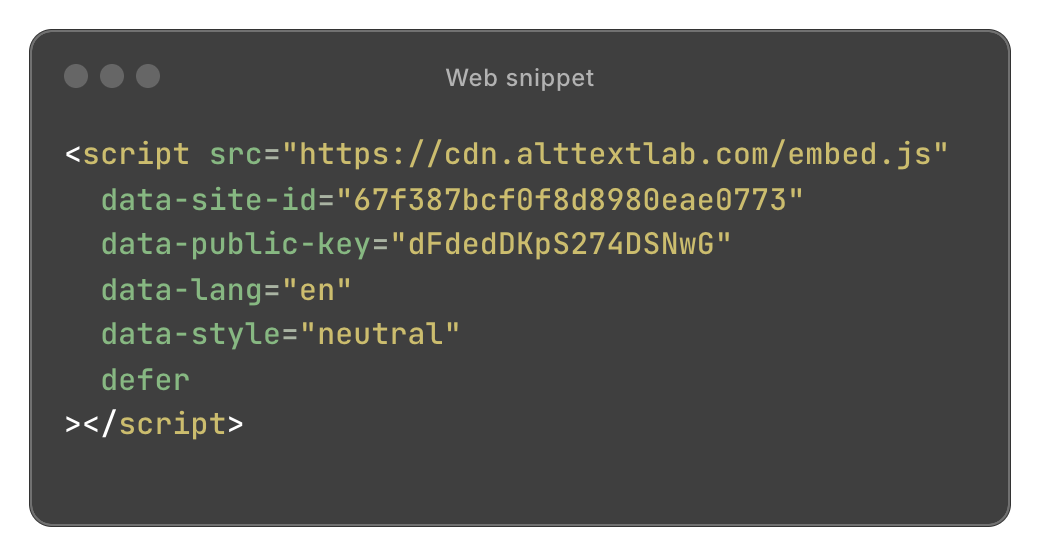
A code snippet displayed in a terminal-style window. It includes a script tag linking to an external JavaScript file with various data attributes like site ID, public key, language, and style set to 'neutral'.

Used by teams at

LG logoCaesars rewards logoBeyond identity logoAvalaunch media logoCompass logoDocsumo logoUCL logoComcast logoC3.ai logo
WORKS EVERYWHERE

One snippet. Any platform.

Native integrations lock you to specific CMSes. The Web Snippet doesn't care what your site runs on. Custom stack, legacy platform, headless architecture, or a plain HTML file — if your site loads images, the snippet handles them. No backend access. No plugin marketplace. No version conflicts.
Auto-detects new images — no manual triggers, ever
CDN-cached for instant delivery on every repeat visit
Handles unlimited images and traffic surges without bottlenecks
process

How Web Snippet works

From zero to automatic alt text in 3 steps.
A computer screen displaying a code snippet for embedding a script with attributes for a web application. The background is light gray, and the code is in a dark window format.

1. Create your snippet

Sign up, choose your language and writing style, and copy your personalized script from the dashboard. The whole thing takes a few minutes.
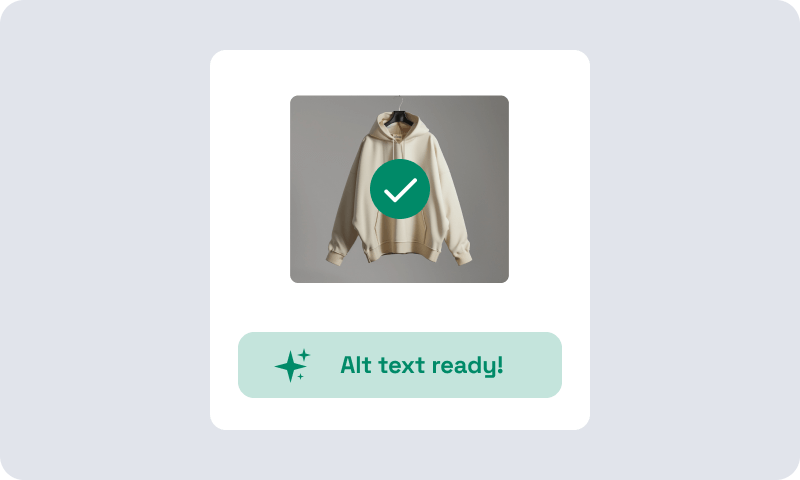
A beige hooded sweatshirt hanging on a hanger against a grey background. A green checkmark is overlayed on the image.

2. Paste it once

Add it before your closing </head> tag, or drop it into Google Tag Manager. That's the last time you'll need to touch it.
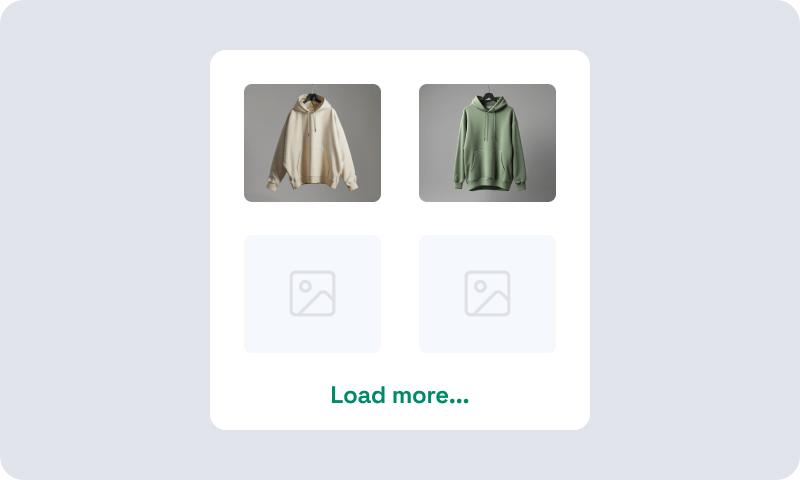
Two sweatshirts displayed: one beige and one green, shown on a grey background. Below are two empty image placeholders labeled 'Load more...'.

3. Every image on your site gets covered

The script finds images without alt text, generates descriptions, and caches them instantly. New images added anywhere on your site are handled without any action from you.
BENEFITS

Build for production

Web Snippet is fast by design and secure by default.

Async loading

The script loads after your page renders. It has no effect on your Core Web Vitals, your Lighthouse score, or your users' experience. It runs in the background, invisibly.

CDN-backed delivery

Every generated alt text is cached in a global Cloudflare CDN that runs independently of our infrastructure. Available in milliseconds, worldwide, even at traffic spikes.

Indexed by search engines

Search engines read dynamically applied alt text the same way they read static HTML. The alt text gets indexed. Your images become searchable.

Privacy by default

We process your site's public images. That's it. No visitor data, no behavioral tracking, nothing you'd need to add to your privacy policy or explain to your legal team.
Start free with 25 credits
Testimonials

Teams that stopped writing alt text manually

Rated 4.8 / 5 on G2
Smiling man with a mustache.
Caleb Stewart · Project Manager
Good Work · Verified on G2
Five orange stars rating
The software is easy to use, and the generated alt text is accurate! Additionally, the support team is very responsive and helpful. It was also easy to set up within our content management system.
Woman with blonde hair, plaid jacket.
Daria M. · Project Manager
Web Design Agency · Verified on WordPress
Five orange stars rating
I was able to generate alt text for thousands of images in just a few minutes, which saved me a lot of time compared to writing everything manually. AI descriptions are surprisingly accurate and understand the context of the image well. Setup was simple.
A close-up portrait of a woman with long, wavy auburn hair and green eyes. She has a neutral expression and is looking directly at the camera.
Julia R. · Marketing Manager
Software Development Company · Verified on G2
Five orange stars rating
It actually understands what's in images and creates spot-on descriptions. No more guessing what to write. The Chrome extension is super handy and fits right into my workflow. It's been a huge time-saver for my blog and product pages.
A woman with long dark hair wearing glasses and a patterned top. She is smiling and facing the camera. The background features foliage. The image is in black and white.
Lynn Zawie · Director, Web Services
Stony Brook University · Verified on Trustpilot
Five orange stars rating
I tried a few others plugins before I found this one. The others were either too complicated or too expensive. This plugin was simple to use and install and worked immediately. The alt tags it generates are perfect. Very descriptive and accurate.
Pricing

Simple, transparent pricing

No seat fees, no hidden tiers. Start free and scale as your site grows.
Start
$5
Per month
100
credits
/ month
100 credits
/ month
$5
500 credits
/ month
$16
1,000 credits
/ month
$30
1 credit = 1 image
Unlimited websites
One account, any number of domains. No per-site fees.
Credits roll over
Unused credits carry forward every month – they never expire. You won't lose what you've paid for.
130+ languages
Chat support
Try for free
Scale
Starts at $200/month
Billed monthly or annually
Custom credits / month
Unlimited websites
One account, any number of domains. No per-site fees.
Credits roll over
Unused credits carry forward every month – they never expire. You won't lose what you've paid for.
130+ languages
Chat support
Priority support
Advanced security
Talk to sales
Start
$4
Per month, billed annually
1,200
credits
/ year
1,200 credits
/ year
$4
6,000 credits
/ year
$13,5
12,000 credits
/ year
$24
1 credit = 1 image
Unlimited websites
One account, any number of domains. No per-site fees.
Credits roll over
Unused credits carry forward every month – they never expire. You won't lose what you've paid for.
130+ languages
Chat support
Try for free
Scale
Starts at $200/month
Billed monthly or annually
Custom credits / year
Unlimited websites
One account, any number of domains. No per-site fees.
Credits roll over
Unused credits carry forward every month – they never expire. You won't lose what you've paid for.
130+ languages
Chat support
Priority support
Advanced security
Talk to sales
FAQ

Your questions, answered.

Can't find what you need? Contact us →

How is alt text generated — once per image or every page view?

Once per image. On the first page load where an image appears without alt text, the snippet triggers generation. The result is cached and returned instantly on every subsequent visit without repeat API calls. New images go through the same cycle automatically.

What happens to images that already have alt text?

The snippet only processes images that are missing alt text. Existing alt text is never overwritten or modified.

Do I need a developer to install Web Snippet?

For the direct HTML method, you need someone who can edit your site's <head>. If you use Google Tag Manager, no developer access is required — you can deploy it yourself.

Can I use Web Snippet without a plugin on WordPress or Shopify?

Yes. The Web Snippet works on any platform, including WordPress and Shopify. Paste it before the </head> tag or add it via Google Tag Manager. If you want alt text written permanently to your CMS database, the native plugins are a better fit, but the snippet works for any site where you want coverage without a plugin.

Will the Web Snippet slow down my website?

No. The script loads asynchronously after your page renders, it adds zero blocking time and has no effect on your Core Web Vitals score. Once alt text is cached in our Cloudflare CDN, it loads in milliseconds on every subsequent visit.

Does Web Snippet work on images loaded dynamically like CMS content or JavaScript-injected images?

Yes. The snippet scans the rendered page, not the source HTML. That means it catches images loaded from CMS collection lists, injected by JavaScript after page load, or served by third-party embeds — all the images a plugin would miss.

Does Web Snippet work with single-page apps?

Yes. The script runs after the page loads and handles dynamically rendered images, including those injected by JavaScript frameworks after the initial render.

What happens to existing alt text if I cancel my subscription?

Generation stops for new images immediately. Alt text that's already been generated stays live on your site for 30 days served from CDN as normal. After that, the files are removed from CDN and stop appearing.

Your data isn't deleted. Everything stays in your account. When you reactivate, all previously generated alt text returns to CDN automatically with no reprocessing and no credits used — and your site picks up exactly where it left off.

Alt text on every image, starting today.

Set up in under 5 minutes. Works on any platform.
No credit card required
WCAG-compliant
Try it now free