AI alt text generator for Shopify

AltTextLab scans your entire catalog, identifies missing alt text and automatically generates descriptions for every product image.
25 credits for free • No credit card required
THE PROBLEM

Trace three real problems back to one empty field

SEO: Without alt text, search engines can't read your product images. Shoppers searching visually find competitors. Your catalog stays out of Google Image Search, no matter how strong the rest of your SEO is.

Accessibility: For visually impaired shoppers using screen readers, no alt text means no description – just a blank. Alt text is how you make your store usable for everyone. It's also what WCAG 2.1 AA, the ADA, and the EAA require.

Scale: Shopify's editor handles one image at a time. That math doesn't work for a catalog of any real size, which is why this stays unresolved.
PROCESS

How to add alt text to Shopify images

Three steps from zero coverage to fully tagged. Most stores are done in under 10 minutes of setup time.
Step 1 of 3

Install the Shopify app

Add AltTextLab from the Shopify App Store. Authorize access, connect your store, and the app starts scanning immediately, showing you which product images are missing alt text before you generate anything. No code, no developer required.

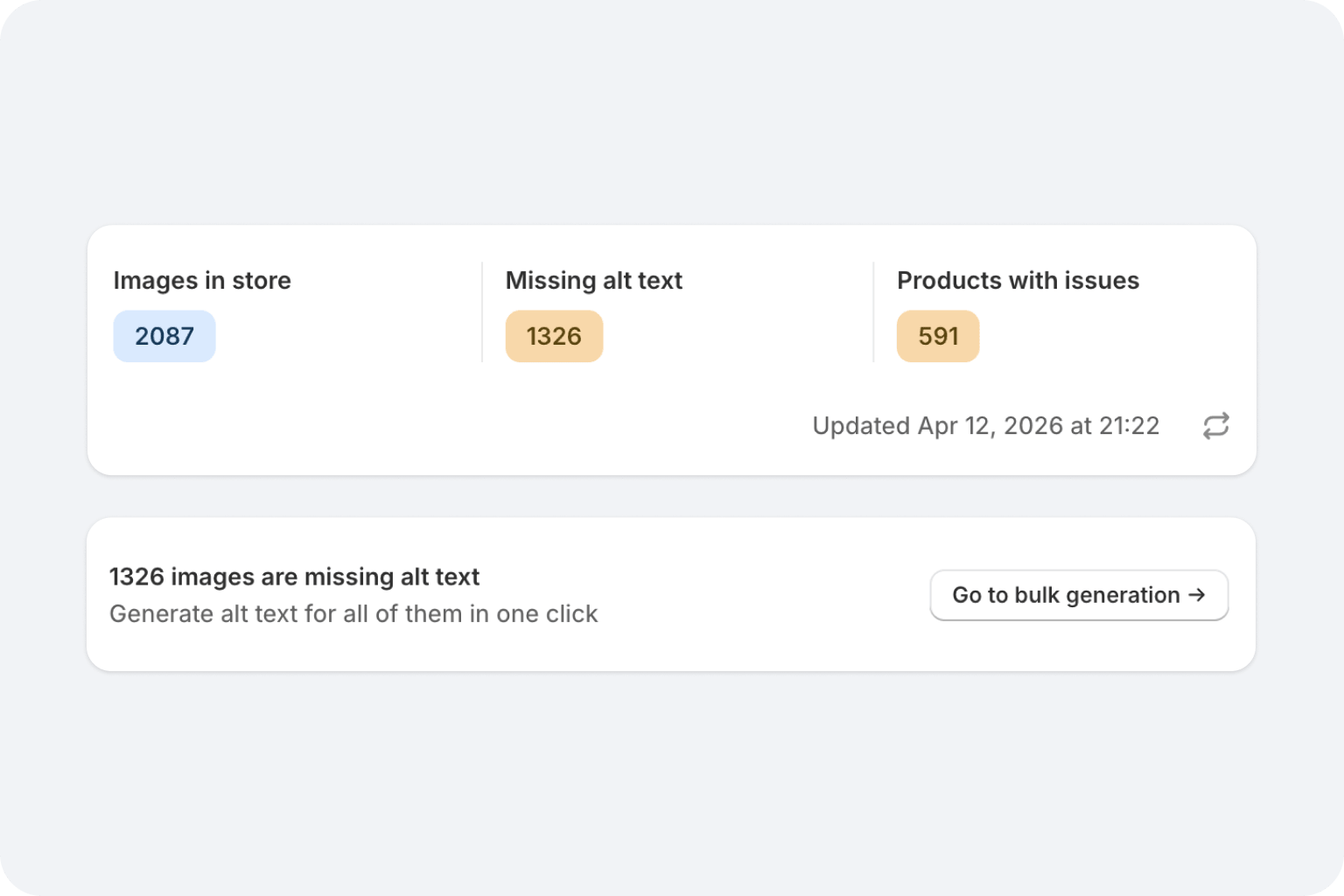
Automatic analysis starts on connect
Shows you exactly which images are missing alt text
A graphic showing various digital tools and platforms. It includes logos for CMS platforms, a web snippet, browser extensions, a web application, no code tools, and a developer API, all connected to a central symbol.
Platform capabilities overview with sample outdoor photo
Step 2 of 3

Every new product image gets alt text automatically

From this point on, there's nothing to do. When you add or update a product, the app detects it, reads the image alongside your product title and vendor, and generates alt text in the background.

New products get alt text generated automatically on upload, or manually on request
Step 3 of 3

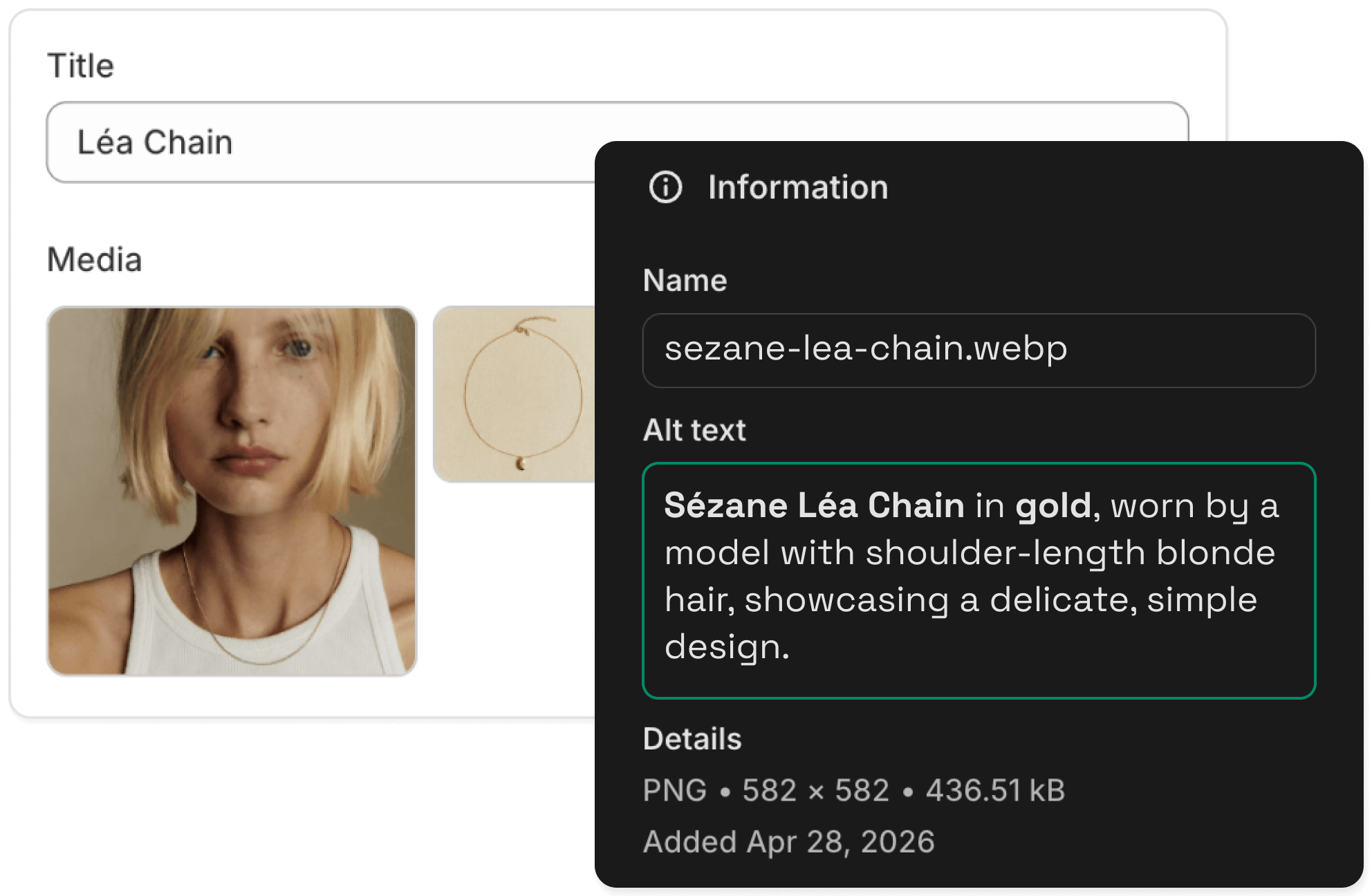
Alt text writes directly to Shopify

Alt text is pushed directly into your product records, and it stays there permanently, even if you later uninstall the app.
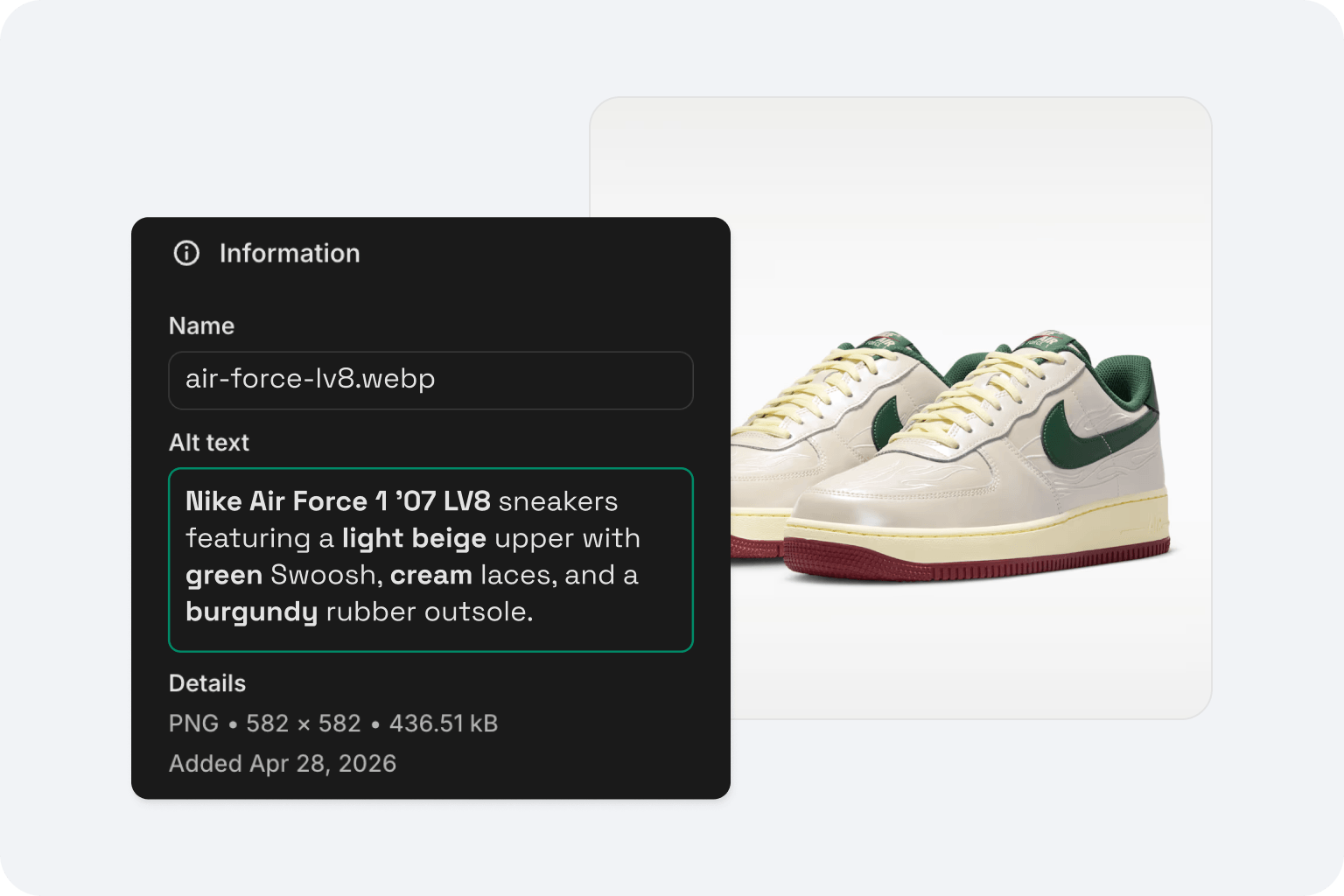
Supports JPG, PNG, SVG, AVIF, and WebP image formats
Results, keywords & style — platform overview
WHAT MAKES IT DIFFERENT

Built for Shopify stores, not generic image tagging

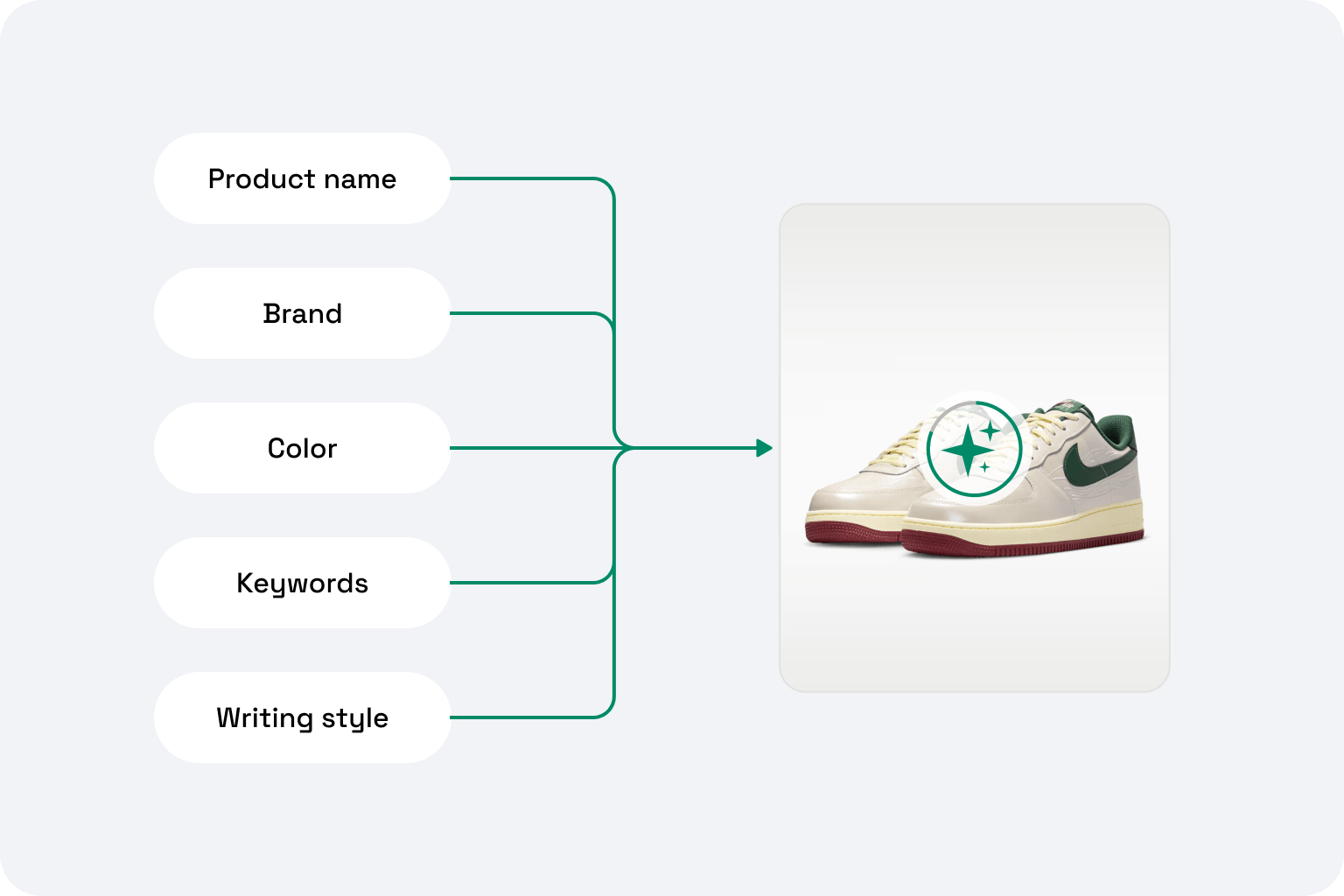
Generic AI tools see pixels. AltTextLab reads your product data and generates descriptions a human SEO specialist would actually write.

Product-aware alternative texts

Every description includes product name, vendor, and color. Context from your catalog, not guesswork.

Bulk edit alt text across all Shopify images

Process all product images in a single run. No CSV exports, no manual uploads.

130+ languages for international stores

Running a multilingual Shopify store? Generate alt text in any of 130+ languages automatically.

Privacy-first and GDPR-aligned

Images are processed and immediately discarded. Your customer data is never accessed. Fully GDPR-aligned and compliant.

WCAG 2.1 AA compliant output

Every description meets screen reader standards — optimal length, natural language structure, meaningful context. ADA, EAA, and Section 508 compliant without manual review.

Zero storefront speed impact

AltTextLab works through the Shopify Admin API, not a frontend script. Your storefront loads exactly as fast as it did before.
Start free with 25 credits
Testimonials

Teams that stopped writing alt text by hand

Rated 4.8 / 5 on G2
A woman with long dark hair wearing glasses and a patterned top. She is smiling and facing the camera. The background features foliage. The image is in black and white.
Lynn Zawie · Director, Web Services
Stony Brook University · Verified on Trustpilot
Five orange stars rating
I tried a few others plugins before I found this one. The others were either too complicated or too expensive. This plugin was simple to use and install and worked immediately. The alt tags it generates are perfect. Very descriptive and accurate.
A close-up portrait of a woman with long, wavy auburn hair and green eyes. She has a neutral expression and is looking directly at the camera.
Julia R. · Marketing Manager
Software Development Company · Verified on G2
Five orange stars rating
It actually understands what's in images and creates spot-on descriptions. No more guessing what to write. The Chrome extension is super handy and fits right into my workflow. It's been a huge time-saver for my blog and product pages.
Smiling man with a mustache.
Caleb Stewart · Project Manager
Good Work · Verified on G2
Five orange stars rating
The software is easy to use, and the generated alt text is accurate! Additionally, the support team is very responsive and helpful. It was also easy to set up within our content management system.
Woman with blonde hair, plaid jacket.
Daria M. · Project Manager
Web Design Agency · Verified on WordPress
Five orange stars rating
I was able to generate alt text for thousands of images in just a few minutes, which saved me a lot of time compared to writing everything manually. AI descriptions are surprisingly accurate and understand the context of the image well. Setup was simple.
Smiling woman with long hair.
Ana Koroliova · Head of Customer Service
Zorka.Agency · Verified on WordPress
Five orange stars rating
This plugin is absolutely worth installing. It runs fast, works seamlessly, and does exactly what it promises.
Young man smiling outdoors
Gleb V. · Web Developer
Web Development Agency · Verified on WordPress
Five orange stars rating
I manage several client sites and this plugin saves me a lot of time. I install it, set it up once, and it works in the background. It’s part of my standard setup now.
FAQ

Your questions, answered.

Can't find what you need? Contact us →

How to add alt text to images in Shopify automatically?

Install the AltTextLab Shopify app from the Shopify App Store. Once authorized, it scans your store and identifies every image missing alt text. Run bulk generation to process your entire catalog — alt text is written directly to your product records via the Shopify Admin API. From that point, every new product image you upload gets alt attribute generated automatically in the background. No manual steps required.

How to bulk edit alt text in Shopify?

Shopify's built-in interface requires editing each image individually — one product, one image, one save at a time. AltTextLab's bulk generator processes your entire product catalog in a single run. Select the image type, click generate, and AltTextLab handles the rest in the background. For stores with thousands of images, the process runs as a background job.

Does product image alt text help Shopify SEO and AEO?

Yes, in two ways. First, alt text helps Google Image Search understand and index your product images, which can drive meaningful additional organic traffic (especially for visual products like clothing, furniture, and accessories). Second, AI tools like ChatGPT and Google AI Overviews use alt text to understand your images when generating product recommendations or shopping answers. Without descriptive alt text, your products are effectively invisible to those systems, regardless of how well your text content ranks.

What is the best alt text tool for Shopify?

The best tool is one that integrates directly with Shopify's Admin API (so alt text is written permanently to your database, not injected via a frontend script that could break), generates descriptive texts using your actual product data (not just image recognition), and handles bulk generation without requiring manual effort per image. AltTextLab does all three — and alt text generated through it persists permanently even if you later uninstall the app.

What happens to my alt text if I uninstall the app?

It stays. AltTextLab writes alt text directly to Shopify's database via the Admin API — the same place it would be if you'd typed it manually. Uninstalling the app doesn't remove the alternative text from your products. This is different from frontend-script-based tools that inject alt descriptions on page load, which disappear when the script is removed.

Start free with 25 image credits

See how AltTextLab saves you hours and boosts SEO
No credit card required
WCAG-compliant
Try it now