


AI alt text generator for Microsoft Edge
Add accurate alt text to any image without leaving Edge. Right-click, get a clean description, and paste it into whatever tool or site you're working in.

THE PROBLEM
The images pile up faster than anyone can describe them
Accessibility: Skip it and anyone using a screen reader gets nothing where the image should be. Alt text is a WCAG 2.1 AA requirement, and it's part of what the ADA, Section 508, and the EAA ask for.
SEO and AEO: Search engines and AI answer engines can only read an image through its alt text. Without it, your visuals stay out of Google Images and give tools like ChatGPT and AI Overviews nothing to work from.
How to generate alt text in Microsoft Edge
Add the add-on to Edge
Install AltTextLab from the Microsoft Edge Add-ons store and pin the icon to your toolbar.


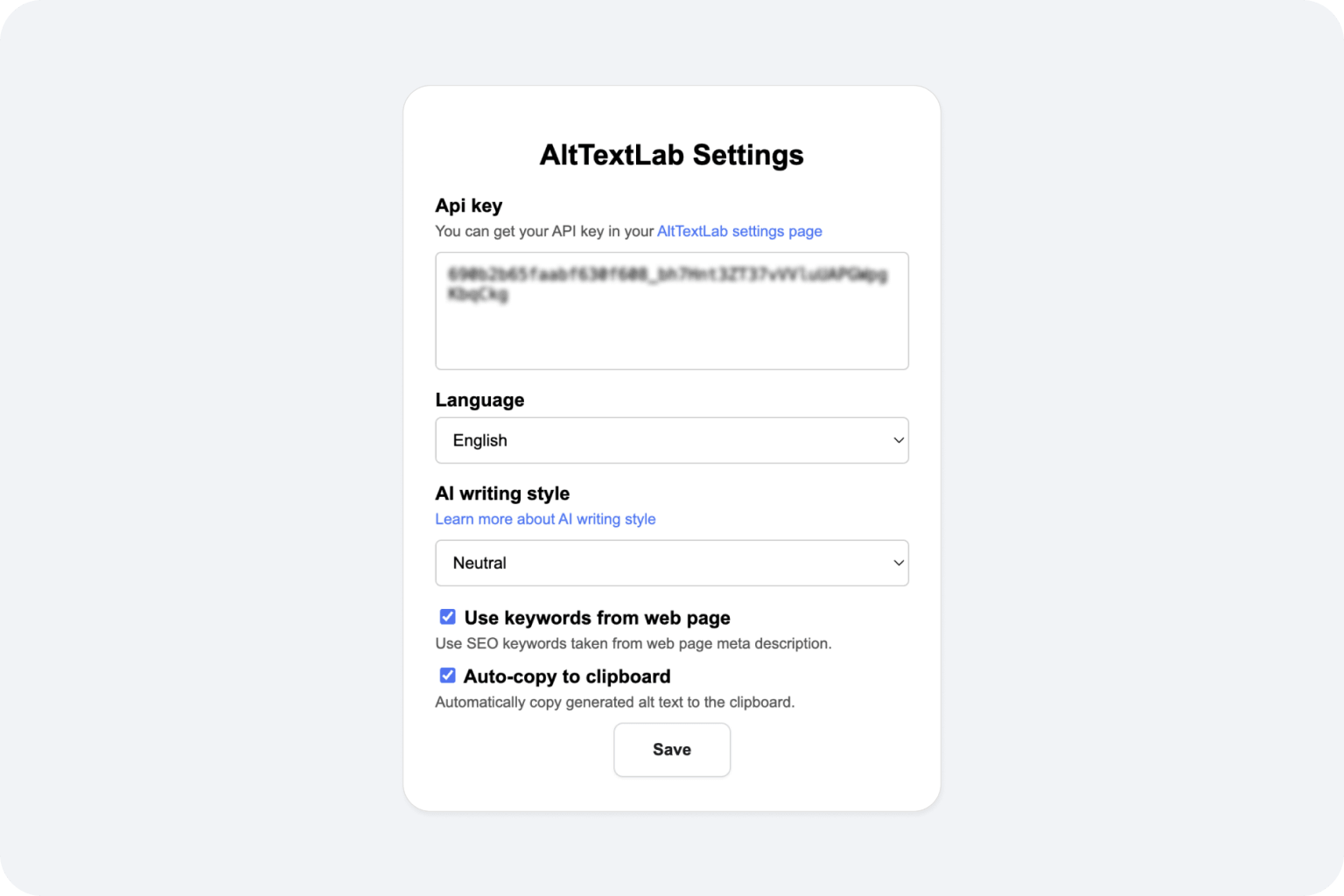
Connect your API key
Click the AltTextLab icon, open Options, and paste the API key from your account. That links the add-on to your monthly credits.
Right-click any image to generate alt text
Right-click any image on a public page and choose AltTextLab: Get alt text. The description appears in a popup within seconds, ready to copy.

Built to fit the way you already work

Works on any website

Context-aware alt text

130+ languages

Privacy-first and GDPR-aligned

WCAG 2.1 AA compliant output
Four writing styles
Teams that stopped writing alt text by hand








Do I need a paid plan to use it?

No. Every account starts on the free plan with 25 image credits a month and no card required, and the add-on draws from those. If you need more volume, paid plans start at $5 a month, with pay-as-you-go credits available if you'd rather not subscribe.
Will it update the alt text on my site itself?
No. The add-on hands you a finished description to paste wherever you need it. If you want alt text written into your site automatically and in bulk, the native integrations for WordPress, Shopify, Webflow, and 10+ other platforms do that, and so does the API and Web Snippet for all other websites. The add-on is best for quick, one-off descriptions and for pages with no native integration.
Does it work on internal or corporate sites?
It works on any page Edge can open, as long as the image itself is publicly reachable. Images behind a corporate login or otherwise access-restricted may not generate, because the service needs to be able to reach the image to describe it.
What permissions does the add-on request, and why?
The add-on requests permission to read images on the pages you visit, so it can analyze the specific image you right-click and generate a description for it. It does not request access to your browsing history, saved passwords, or other personal browser data. You can review exactly what the add-on requests on its Edge Add-ons Store listing, or at any time afterward in Edge's extension management settings.
Add alt text right where you work


