E-COmmerce

Product-aware alt text for every image in your store

AltTextLab reads each product image alongside its attributes to write accurate alt text across your catalog, then keeps new products covered automatically.
25 free credits monthly • No credit card required
Why it never gets finished

The catalog changes faster than anyone can describe it

Alt text is hard to keep up with. A cleanup gets most of the way done, a new season lands, and the gap reopens.

The backlog is never the whole job

You can clear ten thousand images once. Then next week's drop and a new colourway arrive, and coverage starts slipping again.

Every variant is another image

One product becomes eight photos across four colourways. By hand, that's the same sentence typed eight times with one word changed.

Invisible in image search

Missing alt text means lost traffic from Google Images and AI-powered surfaces like ChatGPT or Google AI Overviews.

Storefronts start further behind

E-commerce sites carry more accessibility errors than almost any other category: 71 per page on average, against 56 across the web.
Start free with 25 credits
Integrations

Built for the platform your store runs on

Pick your platform and start describing.

NATIVE INTEGRATIONS

Developer Tools

PROCESS

Three steps to a fully described catalog

Set up your store in under 5 minutes.
Step 1 of 3

Connect your store

Install the app for your platform and authorize access. AltTextLab scans your catalog and shows you which product images are missing alt text before it generates anything.

No code and no developer needed
Supports JPG, PNG, SVG, AVIF, and WebP image formats
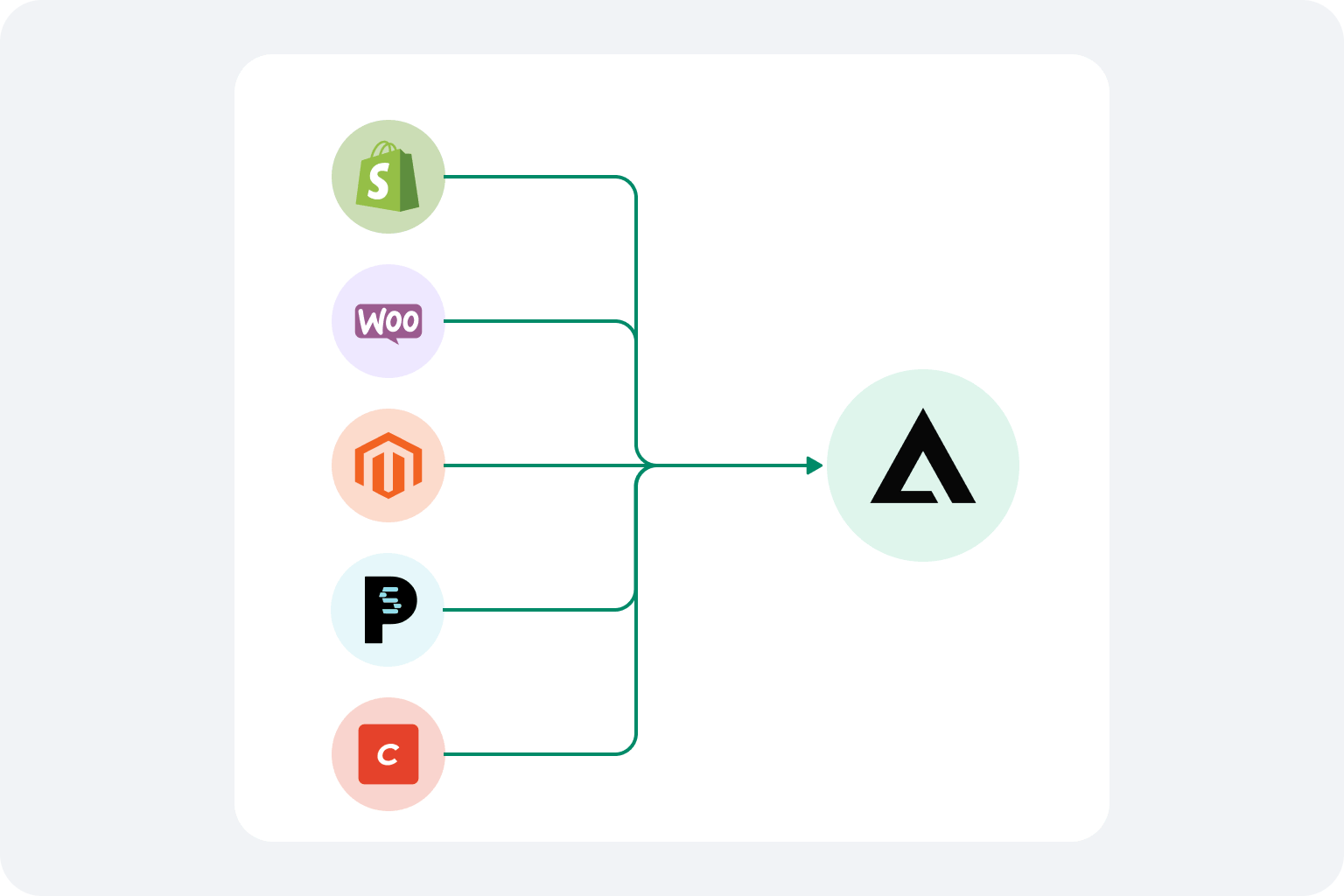
AltTextLab integration options: CMS plugins, web snippet, browser extensions, no-code tools, and REST API connected to a central hub.
AltTextLab platform capabilities overview with sample outdoor photo.
Step 2 of 3

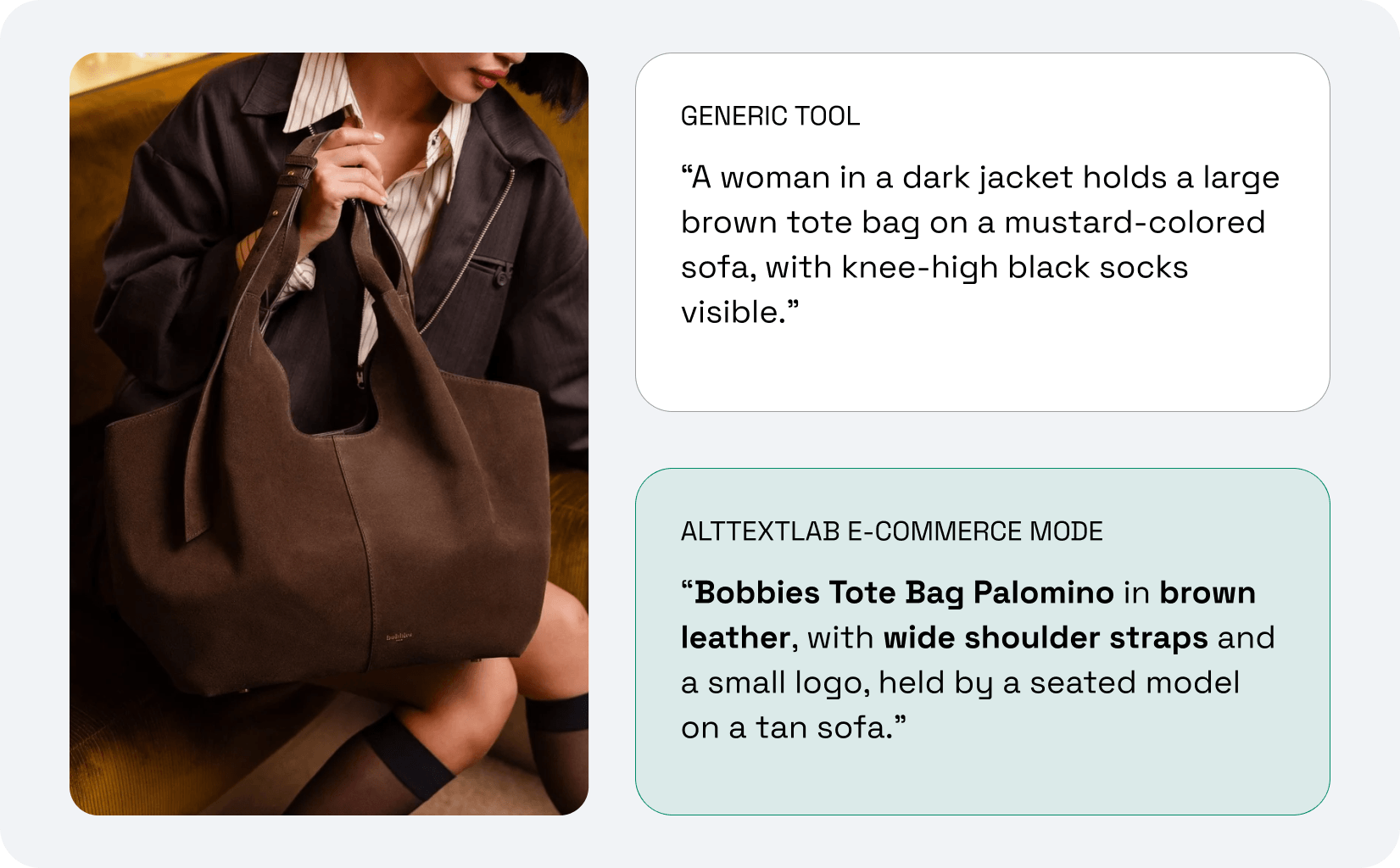
AI reads your product data, not just the photo

Most tools describe only what a photo looks like. AltTextLab combines the image with your product name, variant, brand, color, and SEO keywords, so every description matches what you actually sell and reads consistently across the catalog.

130+ languages for multilingual sites
Choose between descriptive, neutral, minimal, or matter-of-fact writing styles to match your brand tone
Step 3 of 3

New uploads stay covered

Alt text is written into your platform's own image field, the same place it would sit if you typed it yourself. New products are then described automatically in the background.

AltTextLab results panel showing generated alt text, SEO keywords, and writing style options ready to sync to CMS.
Compliance, handled

Real alt text, not an overlay

E-commerce is the most-sued sector for web accessibility, and the exposure keeps growing.
Start free
WCAG 2.1 AA output on every image we generate, with the right length and detail to pass an audit.
Written into your product pages, so search engines and audits actually see it, unlike overlay widgets.
Your images stay yours, never stored or used to train AI models.
Generated alt text stays in place permanently, even if you uninstall.
Testimonials

Teams that stopped writing alt text manually

Rated 4.8 / 5 on G2
Smiling woman with dark hair and glasses, black-and-white portrait photo
Lynn Zawie · Director, Web Services
Stony Brook University · Verified on Trustpilot
Five-star rating
I tried a few others plugins before I found this one. The others were either too complicated or too expensive. This plugin was simple to use and install and worked immediately. The alt tags it generates are perfect. Very descriptive and accurate.
Close-up portrait of a woman with wavy auburn hair and green eyes
Julia R. · Marketing Manager
Software Development Company · Verified on G2
Five-star rating
It actually understands what's in images and creates spot-on descriptions. No more guessing what to write. The Chrome extension is super handy and fits right into my workflow. It's been a huge time-saver for my blog and product pages.
Smiling man with a dark moustache, headshot portrait
Caleb Stewart · Project Manager
Good Work · Verified on G2
Five-star rating
The software is easy to use, and the generated alt text is accurate! Additionally, the support team is very responsive and helpful. It was also easy to set up within our content management system.
Smiling woman with long dark hair, headshot portrait
Ana Koroliova · Head of Customer Service
Zorka.Agency · Verified on WordPress
Five-star rating
This plugin is absolutely worth installing. It runs fast, works seamlessly, and does exactly what it promises.
Young man smiling in an outdoor setting, casual headshot
Gleb V. · Web Developer
Web Development Agency · Verified on WordPress
Five-star rating
I manage several client sites and this plugin saves me a lot of time. I install it, set it up once, and it works in the background. It’s part of my standard setup now.
Woman with blonde hair wearing a plaid jacket, headshot portrait
Daria M. · Project Manager
Web Design Agency · Verified on WordPress
Five-star rating
I was able to generate alt text for thousands of images in just a few minutes, which saved me a lot of time compared to writing everything manually. AI descriptions are surprisingly accurate and understand the context of the image well. Setup was simple.
FAQ

Your questions, answered

Can't find what you need? Contact us →

Can I bulk generate alt text across my whole catalog?

Yes, that's the default way to use it. Native store interfaces are built for editing one image on one product at a time, which doesn't scale past a few hundred images. AltTextLab processes your existing catalog in a single run. On large catalogs the run continues in the background, so you don't have to keep a tab open.

How does AltTextLab handle product variants and colourways?

On Shopify, AltTextLab reads the product name, variant and vendor, so the black colourway and the ivory one get genuinely different descriptions rather than the same sentence repeated. On WooCommerce, Magento and Craft Commerce it uses the product attributes you enable — name, brand, colour and material. Because e-commerce output stays attribute-led by design, descriptions also stay consistent in structure across the catalog.

Will it overwrite the alt text my team already wrote?

No. By default AltTextLab only fills images where the alt attribute is empty or missing. Anything written by hand stays exactly as it is. Regenerating everything, including images that already have descriptions, is available but it's an explicit opt-in choice.

What happens to my alt text if I cancel or uninstall?

It stays. Descriptions are written into your platform's own image field, the same place they'd be if you'd typed them in manually, so uninstalling doesn't remove them. This is the practical difference between writing alt text into a store and injecting it with a frontend script, where the text disappears with the script.

See your product images described properly in seconds

See how AltTextLab saves you hours and brings in search traffic.
Works with any store
WCAG-compliant output
Get started free