Alt text for every client site

AltTextLab generates accurate and SEO-optimized alt text across all your clients' sites, whatever CMS each one runs, from a single login.

25 free credits monthly • No credit card required
Why ALTTEXTLAB

Everything you need to run alt text across a client roster

One tool that follows you from client to client, priced and built for the way an agency actually works.
Build your workflow
One account for all your clients — pooled credits, unlimited sites, and a spend cap per site so one client can't drain the balance.
Context-aware alt text that reads the page around each image, so every description reflects what the content actually means.
Bulk-process an entire site in one run, with every description logged in the generation history for you to check.
Custom SEO keywords woven naturally into every description where they fit.
WCAG 2.1 AA output written into the client's source, not a render-time overlay.
130+ languages and four writing styles to match each client's brand and audience.
Works where you build

Integrations with the platforms you build on

Set up your site in under 5 minutes.

CMS integrations

E-commerce

Developer Tools

How it works

The same three steps on every client site

Learn it once, then run it the same way whatever platform the next client is on.
Step 1 of 3

Add AltTextLab to a client site

Install the app or drop in the snippet, set the site's spend cap, and AltTextLab scans the site and shows you how many images are missing alt text before it generates anything.

One account, every client site
Set the site's spend limit up front
Supports JPG, PNG, SVG, AVIF, and WebP image formats
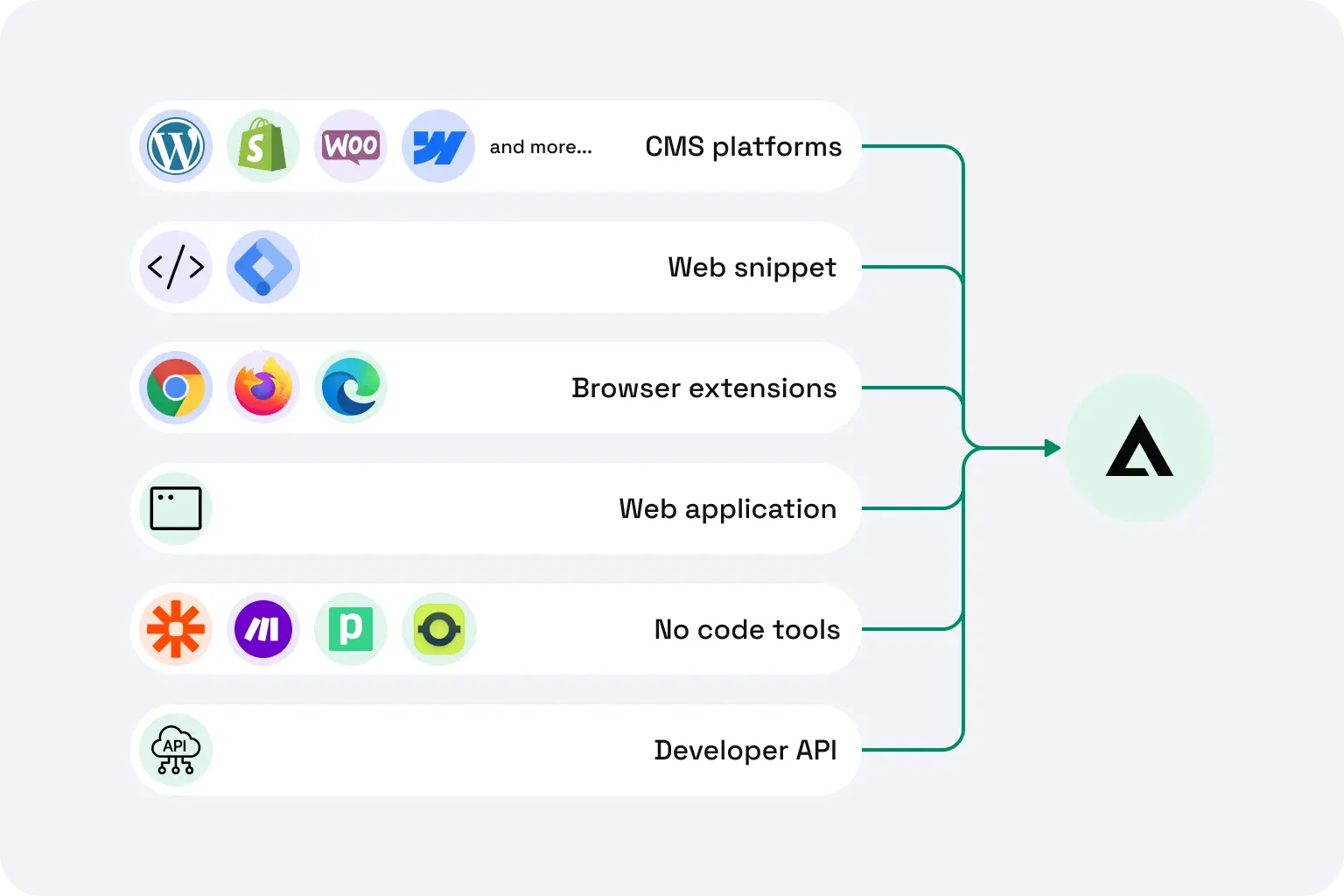
AltTextLab integration options: CMS plugins, web snippet, browser extensions, no-code tools, and REST API connected to a central hub.
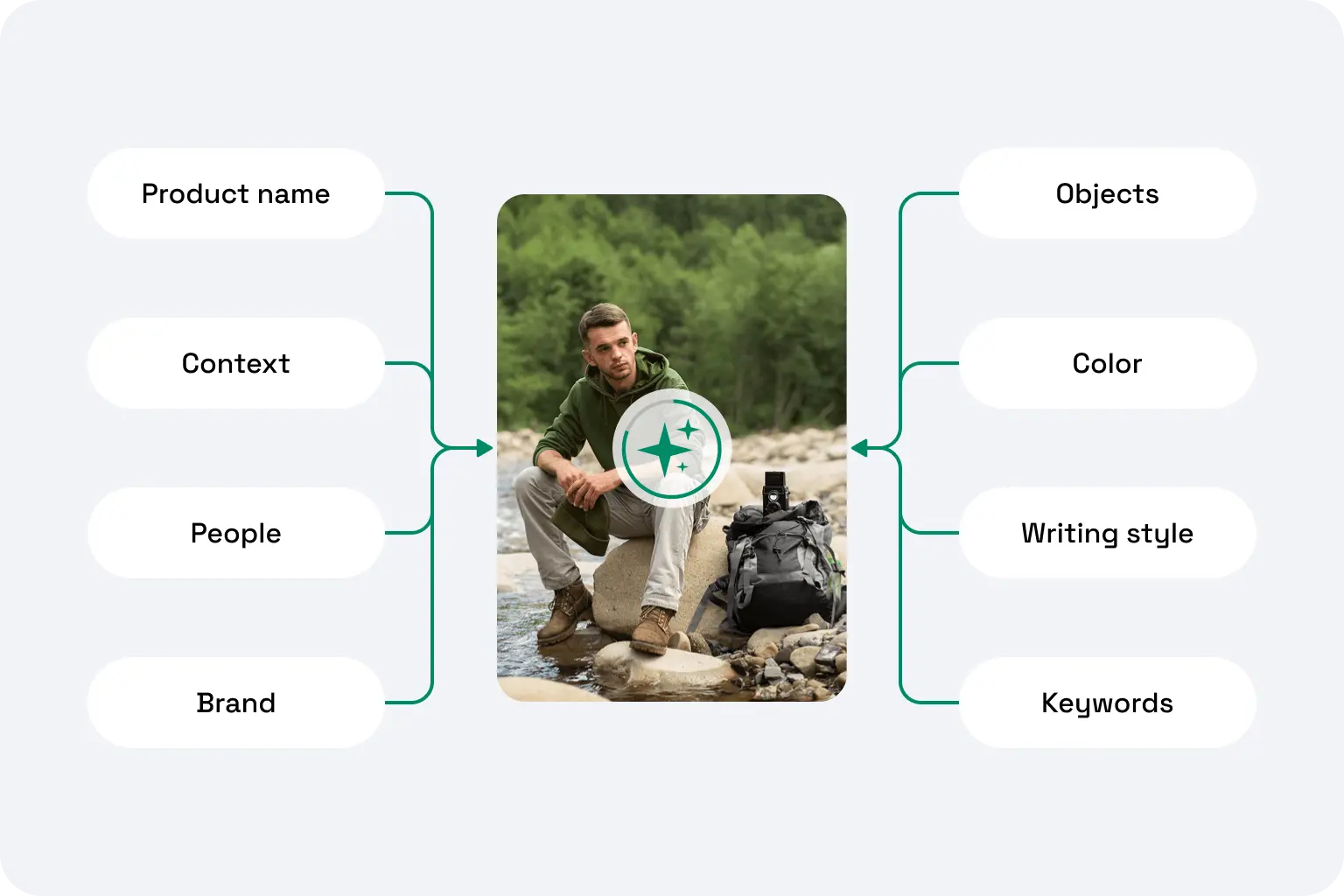
AltTextLab platform capabilities overview with sample outdoor photo.
Step 2 of 3

Describe the whole library at once

Run every image in a single pass instead of editing them one at a time. A site with thousands of images becomes one job, not a week of manual work.

Existing alt text stays untouched unless you choose to regenerate it
Images are never stored or used to train AI models
Step 3 of 3

New images stay covered

After the first run, new images can be described automatically as they're uploaded, or generated on demand whenever you prefer, whatever suits each client. Either way the alt text is written into their own CMS and stays after handoff.
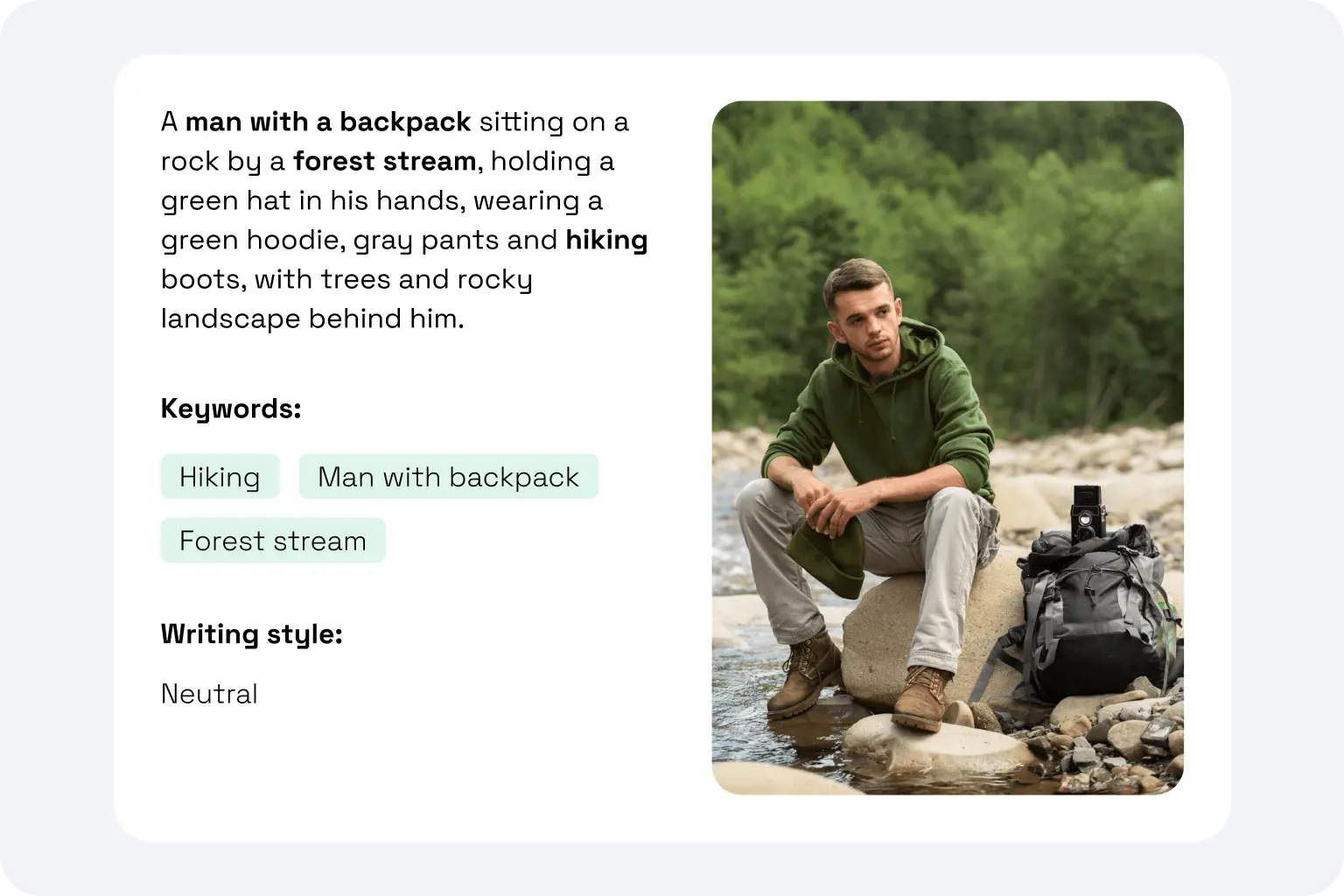
AltTextLab results panel showing generated alt text, SEO keywords, and writing style options ready to sync to CMS.
Testimonials

Already the standard setup for these teams

Rated 4.8 / 5 on G2
Smiling woman with dark hair and glasses, black-and-white portrait photo
Lynn Zawie · Director, Web Services
Stony Brook University · Verified on Trustpilot
Five-star rating
I tried a few others plugins before I found this one. The others were either too complicated or too expensive. This plugin was simple to use and install and worked immediately. The alt tags it generates are perfect. Very descriptive and accurate.
Close-up portrait of a woman with wavy auburn hair and green eyes
Julia R. · Marketing Manager
Software Development Company · Verified on G2
Five-star rating
It actually understands what's in images and creates spot-on descriptions. No more guessing what to write. The Chrome extension is super handy and fits right into my workflow. It's been a huge time-saver for my blog and product pages.
Smiling man with a dark moustache, headshot portrait
Caleb Stewart · Project Manager
Good Work · Verified on G2
Five-star rating
The software is easy to use, and the generated alt text is accurate! Additionally, the support team is very responsive and helpful. It was also easy to set up within our content management system.
Smiling woman with long dark hair, headshot portrait
Ana Koroliova · Head of Customer Service
Zorka.Agency · Verified on WordPress
Five-star rating
This plugin is absolutely worth installing. It runs fast, works seamlessly, and does exactly what it promises.
Young man smiling in an outdoor setting, casual headshot
Gleb V. · Web Developer
Web Development Agency · Verified on WordPress
Five-star rating
I manage several client sites and this plugin saves me a lot of time. I install it, set it up once, and it works in the background. It’s part of my standard setup now.
Woman with blonde hair wearing a plaid jacket, headshot portrait
Daria M. · Project Manager
Web Design Agency · Verified on WordPress
Five-star rating
I was able to generate alt text for thousands of images in just a few minutes, which saved me a lot of time compared to writing everything manually. AI descriptions are surprisingly accurate and understand the context of the image well. Setup was simple.
FAQ

Your questions, answered

Can't find what you need? Contact us →

Can I stop one client from spending the whole balance?

Yes. Set a spend cap per site, and each client can only use what you've allotted from the shared pool. It's the simplest way to run pooled credits across a roster without a surprise.

What happens to the alt text when I hand the site back?

It stays. Through the native apps and the API, alt text is written into the client's own CMS, in their source, so it survives handoff and doesn't rely on any subscription, yours or theirs. The one exception is our Web Snippet, which fills in missing alt text as each page loads, serving the descriptions from our CDN rather than writing them into the site's code. That makes it quick to deploy anywhere, but the alt text is delivered by the script rather than saved into the source, so it's tied to the snippet staying in place, and to an active subscription.

Is there an agency or volume discount?

Pooled credits and no per-site fees already make a roster of client sites far cheaper than per-site tools. If you're running a large number of sites and want to talk through volume, get in touch and we'll put together a plan that fits.

Which platforms do you support?

Native apps for the platforms most sites are built on: WordPress, Webflow, Craft CMS and Drupal, plus Shopify, WooCommerce, Magento, PrestaShop and Craft Commerce for stores. For anything custom or headless, the REST API generates alt text from your own code, and no-code connectors like Google Tag Manager, Zapier, Make and Pipedream automate it without development. If a client's platform isn't one of these, the Web Snippet adds alt text to any site with a single line of code.

Add your first client site in the next five minutes

Start free, run it on one site, and see the descriptions for yourself before you roll it out across the roster.
No per-site fees
WCAG-compliant output
Get started free