WordPress alt text plugin

AltTextLab's WordPress plugin writes accurate, keyword-aware alt text for every image in your media library — automatically on every upload.
25 credits for free • No credit card required
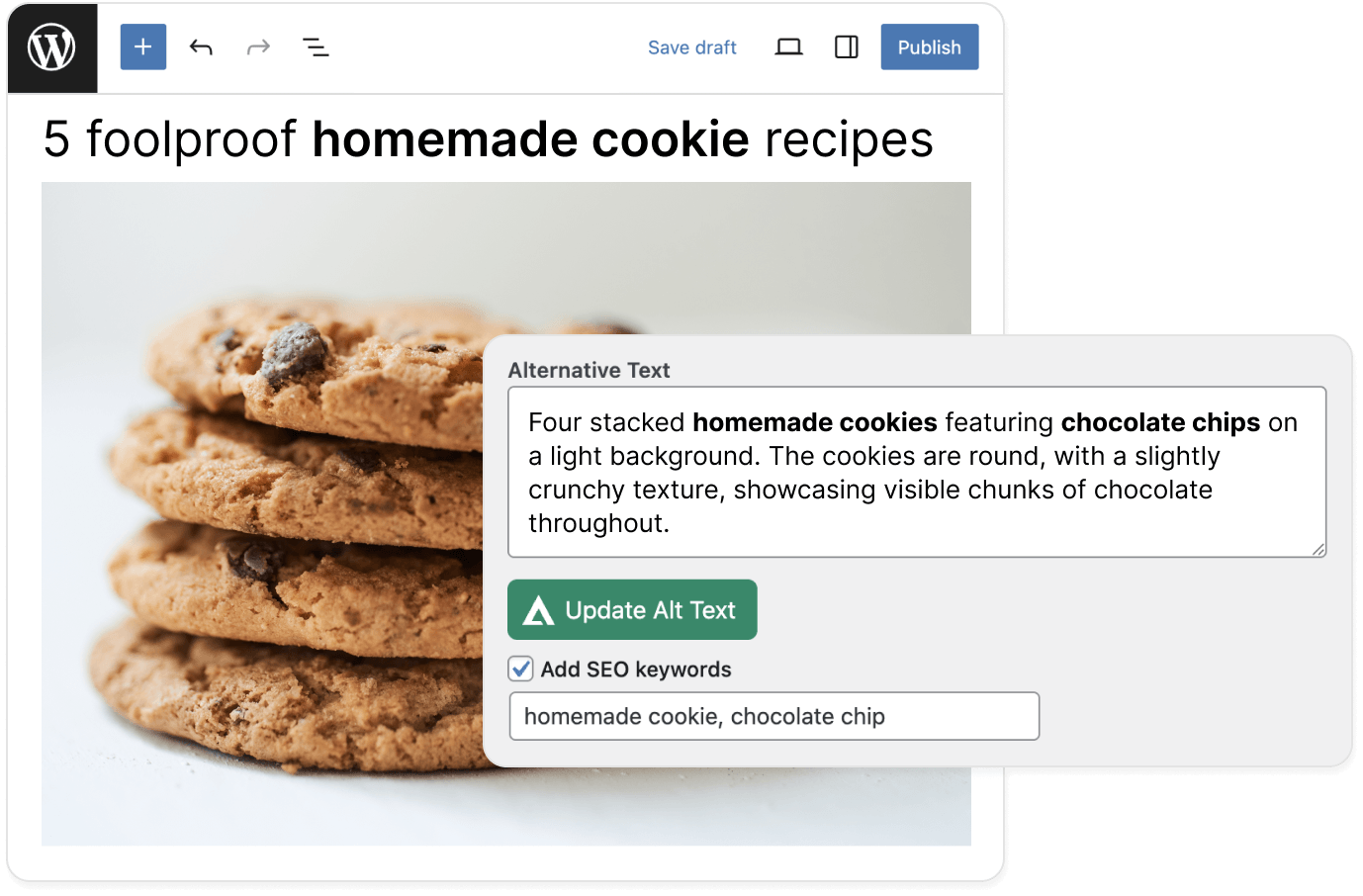
WordPress alt text plugin interface showing cookies.
THE PROBLEM

Count what every untagged image costs your WordPress site

SEO: Without alt text, search engines can't read your images. They're absent from Google Image Search and from LLMs like ChatGPT and Perplexity that use alt text to understand and surface content. For blogs, portfolios, and online stores, that's organic traffic going to sites whose images are actually indexed.

Accessibility: When a visually impaired visitor reaches an image with no alt text, their screen reader announces nothing — just a blank. For the hundreds of millions of people using assistive technology worldwide, your content is incomplete without it. It's also what WCAG 2.1 AA, the ADA, and the EAA require for any site with EU or US traffic.

Scale: WordPress's built-in alt text field works one image at a time, in the media library, manually. For a site with hundreds of posts and thousands of images, there's no native bulk option.
PROCESS

How to auto-generate alt text for WordPress images

Three steps. Most sites are running in under five minutes.
Step 1 of 3

Install the AltTextLab WordPress plugin

Add AltTextLab from the WordPress Plugin Directory. Activate the plugin and enter your API key in the settings. No code, no developer, no FTP access required.

Automatic scan starts on activation
Shows you exactly which images are missing alt text
WordPress alt text plugin settings overview.
WordPress alt text plugin context
Step 2 of 3

Bulk-generate alt text across your media library

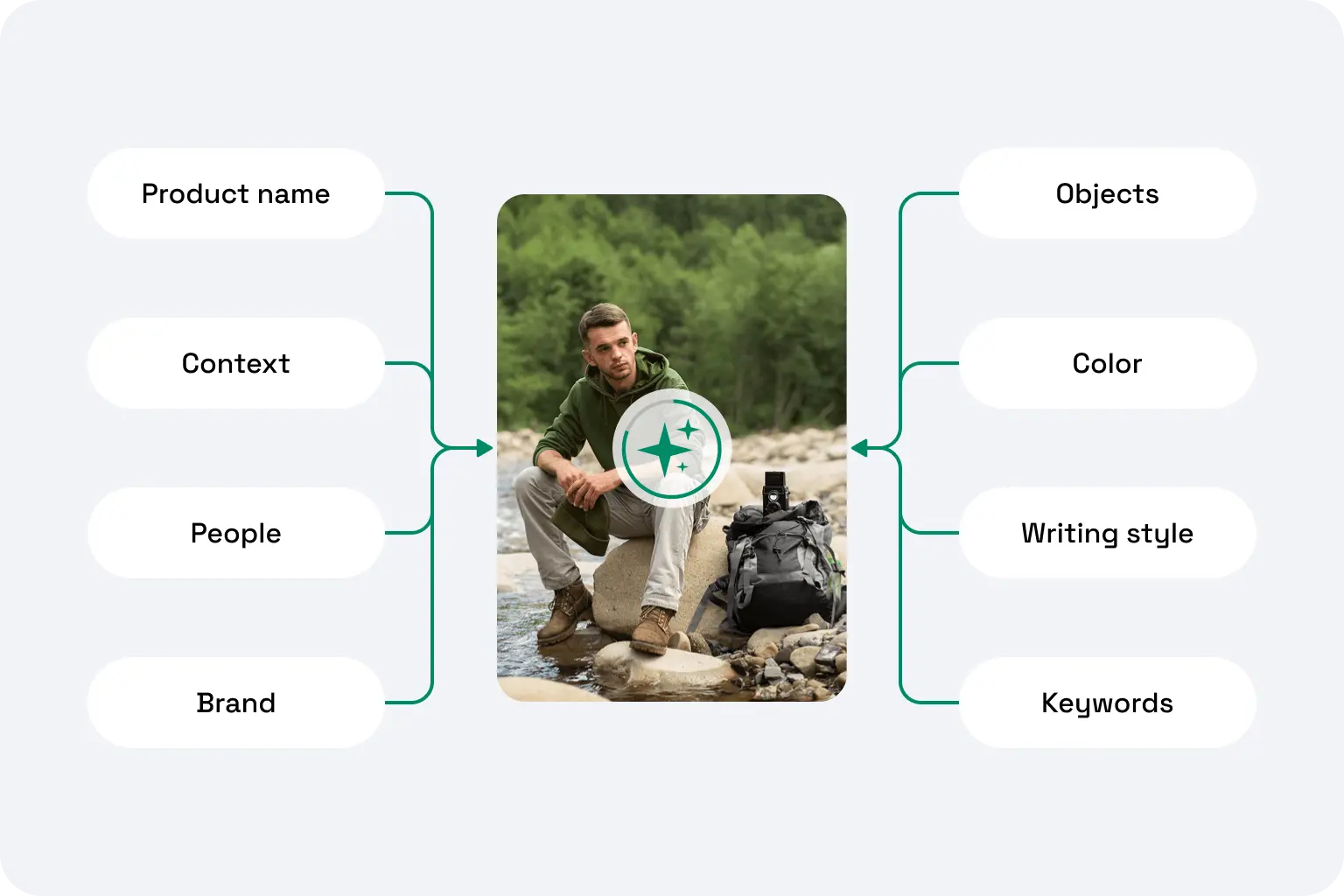
Select all images or filter by post or page type, and run bulk generation. AltTextLab reads each image alongside your post title and keywords, then writes a unique, accurate description for every single one.

Auto-generates on upload or trigger manually when needed
Supports JPG, PNG, SVG, AVIF, and WebP image formats
Step 3 of 3

Every new upload gets alt text automatically

Once the plugin is active and automatic generation is enabled, every image added to your media library gets alt text on upload. Alt text is written directly to the standard WordPress alt field, and it stays there permanently, even if you later uninstall the plugin.

Works with Elementor, Divi, and Gutenberg, and Beaver Builder
Compatible with Yoast SEO, Rank Math, SEOPress, AIO SEO, SquirrlySEO, The SEO Framework, and SmartCrawl
WordPress alt text plugin interface.
WOOCOMMERCE

WooCommerce product images described automatically

Every WooCommerce product image is processed using your product data — name, brand, color, variant, and material — alongside the image itself. The result is alt text that serves both screen reader users and search engines, not just one or the other.
Works on product images, variation images, and gallery images
Each variant gets a distinct alt text based on its specific attributes
Bulk-process your entire WooCommerce catalog in one run
Meets WCAG 2.1 AA accessibility requirements for e-commerce
WHAT MAKES IT DIFFERENT

Built for WordPress SEO and accessibility

Generic image taggers simply describe what's in the image. AltTextLab reads your post title and keywords and writes descriptions that actually serve your SEO and your readers.

SEO keyword control

Set specific keywords to include in generated alt text so your target phrases appear naturally in image descriptions across your site. You can also exclude terms you don't want used.

Bulk alt text with no image limit

Process your entire WordPress media library in a single run. Select your images, click generate, and the plugin works through them in your browser — no CSV exports, no manual queue.

130+ languages for multilingual sites

Running a multilingual WordPress website? Generate alt text in any of 130+ languages automatically. Set the output language per project, no extra configuration required.

WCAG 2.1 AA compliant output

Every description meets accessibility standards — optimal length, natural language, meaningful context. ADA, EAA, and Section 508 compliant output, without manual review after generation.

Privacy-first and GDPR-aligned

Images processed are never used for model training. AltTextLab is fully GDPR-aligned and compliant with EU data handling requirements for site owners and their visitors.

Zero performance impact

AltTextLab runs entirely on its own infrastructure. The plugin sends image data to our servers for processing and receives the result. Your WordPress install does nothing heavy. Page load times, Core Web Vitals, and Lighthouse scores are completely unaffected.
Start free with 25 credits
Testimonials

WordPress sites that stopped writing alt text by hand

Rated 4.8 / 5 on G2
A woman with long dark hair wearing glasses and a patterned top. She is smiling and facing the camera. The background features foliage. The image is in black and white.
Lynn Zawie · Director, Web Services
Stony Brook University · Verified on Trustpilot
Five orange stars rating
I tried a few others plugins before I found this one. The others were either too complicated or too expensive. This plugin was simple to use and install and worked immediately. The alt tags it generates are perfect. Very descriptive and accurate.
A close-up portrait of a woman with long, wavy auburn hair and green eyes. She has a neutral expression and is looking directly at the camera.
Julia R. · Marketing Manager
Software Development Company · Verified on G2
Five orange stars rating
It actually understands what's in images and creates spot-on descriptions. No more guessing what to write. The Chrome extension is super handy and fits right into my workflow. It's been a huge time-saver for my blog and product pages.
Smiling man with a mustache.
Caleb Stewart · Project Manager
Good Work · Verified on G2
Five orange stars rating
The software is easy to use, and the generated alt text is accurate! Additionally, the support team is very responsive and helpful. It was also easy to set up within our content management system.
Smiling woman with long hair.
Ana Koroliova · Head of Customer Service
Zorka.Agency · Verified on WordPress
Five orange stars rating
This plugin is absolutely worth installing. It runs fast, works seamlessly, and does exactly what it promises.
Young man smiling outdoors
Gleb V. · Web Developer
Web Development Agency · Verified on WordPress
Five orange stars rating
I manage several client sites and this plugin saves me a lot of time. I install it, set it up once, and it works in the background. It’s part of my standard setup now.
Woman with blonde hair, plaid jacket.
Daria M. · Project Manager
Web Design Agency · Verified on WordPress
Five orange stars rating
I was able to generate alt text for thousands of images in just a few minutes, which saved me a lot of time compared to writing everything manually. AI descriptions are surprisingly accurate and understand the context of the image well. Setup was simple.
FAQ

Your questions, answered.

Can't find what you need? Contact us →

Will the plugin automatically add alt text to images I upload in the future?

Yes. Once automatic generation is enabled in the plugin settings, any image uploaded to your WordPress media library gets alt text applied immediately without manual trigger and extra steps. It works in the background whether you're uploading through the media library, the block editor, or WooCommerce product pages.

Can I generate alt text for all my existing images in bulk?

Yes. The plugin includes a dedicated Bulk Generate tool that scans your media library and processes all images with missing alt text in a single run. You can also use the bulk actions dropdown directly from the WordPress Media Library view to select and process specific images. For very large media libraries, images are processed consequently without affecting your site's performance or front-end load time.

Will AltTextLab overwrite alt text I've already written manually?

No, not by default. The plugin only processes images that currently have an empty or missing alt attribute. Any image where you've written alt text manually is left untouched. If you want to regenerate alt text across images that already have descriptions (for example, as part of a full library refresh), that's available as an explicit opt-in setting.

Can I include specific SEO keywords in the generated image alt text?

Yes. AltTextLab lets you define keywords to include in generated descriptions and keywords to explicitly exclude. The plugin also supports pulling focus keyphrases automatically from Yoast SEO, Rank Math,  AIOSEO, and other popular SEO plugins, if they're active on your site.

Does AltTextLab work with Yoast SEO, Rank Math, and other SEO plugins?

Yes. AltTextLab writes alt text directly to the image's alt attribute in the WordPress media library. SEO plugins like Yoast SEO, Rank Math, SEOPress, AIO SEO, SquirrlySEO, The SEO Framework, and SmartCrawl manage their own separate fields and don't interact with image alt attributes in a way that causes conflicts. The two work in parallel, and in fact, AltTextLab can read the focus keyphrase set in your SEO plugin and weave it naturally into the generated alt text, so they actively complement each other.

Does it work with Gutenberg, Elementor, Divi, and other page builders?

Yes. Because AltTextLab writes alternative text directly to WordPress's media library database — the same place manually entered alt text lives — it works with every page builder and theme automatically. Elementor, Divi, Beaver Builder, Gutenberg, and any custom theme all read from the same field.

What happens to alt text if I uninstall the plugin?

Nothing. Alt text that has already been generated and saved to your library stays in place permanently. It's written directly into WordPress, so uninstalling the plugin has no effect on existing descriptions. Only future automatic generation stops when the plugin is removed.

Can I use the plugin across multiple WordPress sites with one account?

Yes. One AltTextLab account covers any number of WordPress installations with no per-site fees. Your credits are pooled across all your sites, and each installation connects via its own API key linked to the same account. This makes it a practical choice for freelancers, developers, or agencies managing multiple client sites.

Start free with 25 image credits

See how AltTextLab saves you hours and boosts SEO
No credit card required
WCAG-compliant
Try it now